

I recently bought a set of 611M wheels for my X5M. These came off an F85, which uses different (and non-compatible) TPMS sensors. As expected, after installing the new wheels, the TPMS system threw an error code stating a malfunction. Since the e70 TPMS cannot display actual tire pressures, I decided to delete the TPMS and recode the vehicle with the older RPA flat tire montioring functions. This has been written up in several other threads for other E models, e.g., e90, e92, etc.
A good thread on this can be found here.
The e70 is slightly different, so I thought I'd share this variations needed for our models.
First locate the TPMS control module and disconnect it. The location of the TPMS control varied over the course of the e70's life. Mine was located outside under the rear near the muffler mounted to the subframe. (google it and there are several videos showing the possible locations of your module)
Next, using NCS Expert, change the VO stored in the CAS and FRM modules by deleting the $2VB option. The $265 option is not valid for the e70, so you cannot add it.
Next, re-code the CIC and KOMBI modules with all of the RPA fields enabled and the RDC fields disabled. You can search for these fields using control-F in NCS Dummy.
Finally the DSC module for the e70 is EHB3. Enable the RPA field in this module and code.
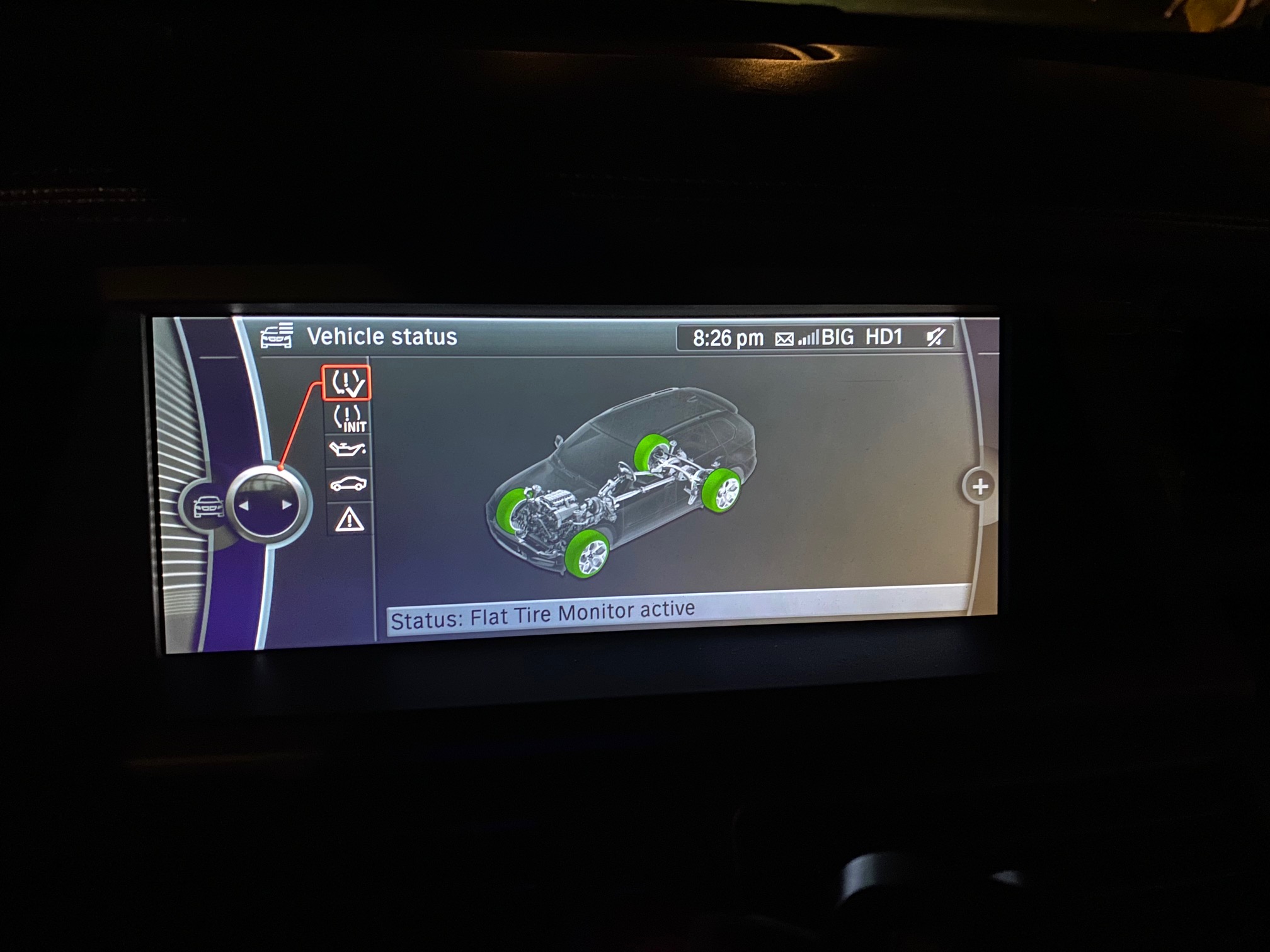
Your done. Start the car, reset the FTM system in the i-Drive menu and drive off. Tires should show up green once it's initialized.
good luck!
A good thread on this can be found here.
The e70 is slightly different, so I thought I'd share this variations needed for our models.
First locate the TPMS control module and disconnect it. The location of the TPMS control varied over the course of the e70's life. Mine was located outside under the rear near the muffler mounted to the subframe. (google it and there are several videos showing the possible locations of your module)
Next, using NCS Expert, change the VO stored in the CAS and FRM modules by deleting the $2VB option. The $265 option is not valid for the e70, so you cannot add it.
Next, re-code the CIC and KOMBI modules with all of the RPA fields enabled and the RDC fields disabled. You can search for these fields using control-F in NCS Dummy.
Finally the DSC module for the e70 is EHB3. Enable the RPA field in this module and code.
Your done. Start the car, reset the FTM system in the i-Drive menu and drive off. Tires should show up green once it's initialized.
good luck!
